
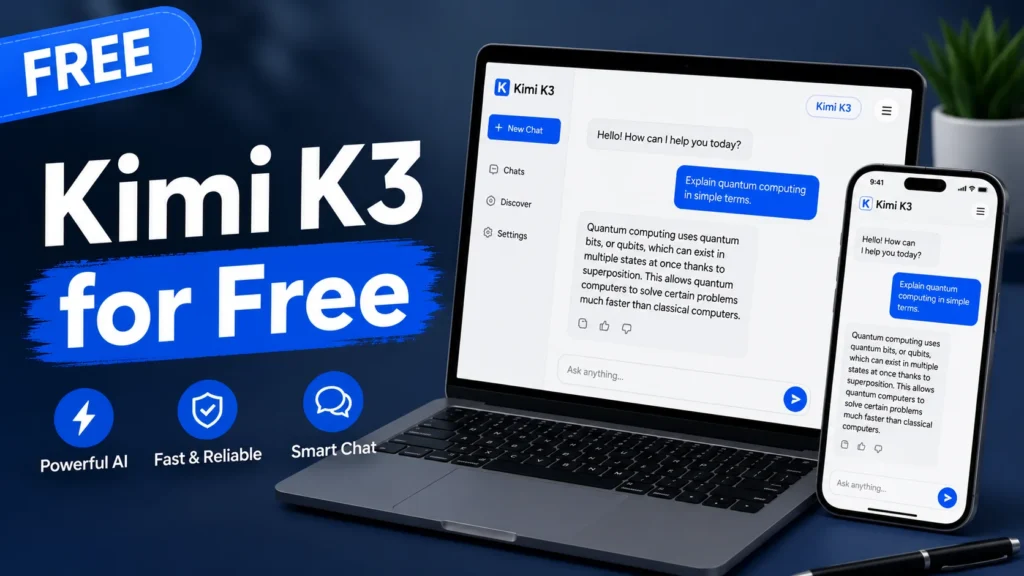
Kimi K3 is free if you just want to chat with it. It stops being free the moment you want the full 1-million-token context window, Agent Swarm, or API access at scale. That’s the whole story in one sentence — everything below is how to actually get the free part without wasting your quota on the paid part.
I tested this on a Karachi connection over three days, switching between the web app, the mobile app, and the API. Some of it was smooth. Some of it made me want to throw my phone.
What Kimi K3 Actually Is
Moonshot AI, a Chinese AI lab, released Kimi K3 on July 16, 2026. It’s a 2.8-trillion-parameter model, which Moonshot calls the largest open-weight model shipped to date. It handles a 1-million-token context window, agent workflows, coding, and multimodal input.
On Artificial Analysis’s Intelligence Index, K3 scores 57 — fourth out of 189 tracked models. That’s genuinely strong for a model you can run for free. It’s not the outright frontier, though. Moonshot’s own launch post admits K3 trails Claude Fable 5 and GPT-5.6 Sol on their internal evals. Keep that in mind before you cancel any paid subscriptions.
Open weights are scheduled for July 27, 2026, under a Modified MIT license. As of this week, that’s still a promise, not a Hugging Face folder. And even once it lands, a 2.8-trillion-parameter MoE model needs A100-class hardware to self-host. It’s not going on your laptop.
Is Kimi K3 Free to Use?
Yes, for basic chat. The Kimi app and kimi.com both run on a free account called the Adagio plan. No credit card required. Sign in with a Google account or phone number, and you’re chatting in under a minute.
What the free tier includes:
- Unlimited basic chat with the model picker
- File uploads and web search inside chat
- A small allotment of agent credits (around six)
- Access to K3 itself, not just older Kimi models
What it doesn’t include:
- Agent Swarm (multi-agent parallel workflows)
- Kimi Code, Moonshot’s coding CLI
- The full 1-million-token context window — that’s gated behind paid tiers
One catch trips up almost everyone: the model picker defaults to an older model, currently K2.6 or K2.7, not K3. You have to open the dropdown and select K3 manually every time you want it.
How to Switch to K3 on Kimi.com or the App
- Go to kimi.com, or open the Kimi app on iOS, Android, or HarmonyOS.
- Sign in with a free account — Google login or phone number both work.
- Click the model dropdown near the chat box. It will show an older model by default.
- Select Kimi K3 from the list.
- Leave the context window on standard and reasoning effort on standard, unless you’re working on something that genuinely needs deep reasoning. This conserves your free token allowance.
- Run one real task, not a “hello world” test. You’ll get a much better read on whether it fits your workflow.
That’s it. No installation, no waiting list.
Free Tier Limits You Should Actually Expect
Moonshot hasn’t published a hard message cap for the free tier. In practice, three things shape what “free” really means:
Rate limiting. You get a daily or hourly ceiling on messages. Hit it, and you either wait or upgrade. This is the standard way the Kimi app free tier works.
Peak-hour throttling. Free accounts can slow down or queue during busy hours. Off-peak use — late night in most US time zones, which is daytime in Pakistan — tends to run noticeably faster.
Context caps. The full 1M-token window sits behind the Allegretto ($39) plan and up. Lower tiers, including free, work with a smaller window, commonly cited around 256K-class for paid entry tiers and tighter still on free. Always check the live model picker in-app, because this is the detail that goes stale fastest in any guide, including this one.
What About the API — Is That Free Too?
No. The Moonshot API is pay-as-you-go, and there’s no permanent free tier for it. You need a minimum $1 recharge to activate an account, though Moonshot has run a $5 voucher promotion after your first $5 in spend.
Here’s the current rate card for kimi-k3 at api.moonshot.ai/v1:
| Token type | Price per 1M tokens |
|---|---|
| Input (cache miss) | $3.00 |
| Input (cache hit) | $0.30 |
| Output | $15.00 |
That’s roughly Claude Sonnet-level pricing — cheaper than Claude Opus 4.8 or GPT-5.6 Sol, but three to four times more expensive than Kimi’s own previous flagship, K2.6. One thing worth knowing before you budget for it: K3 always reasons. There’s no cheaper non-thinking mode to switch to, and reasoning tokens bill as output tokens. A chatty reasoning trace on a simple question can cost more than you’d expect from the sticker price alone.
If you want to test API calls without burning your app’s chat quota, some developers wire a free key into a client like Apidog first, and there are third-party routes — Puter.js being the most cited one right now — that expose moonshot-ai/kimi-k3 through a browser-based free layer. Availability on these changes without notice, so confirm before you build anything that depends on it.
Kimi K3 Membership Tiers, If Free Isn’t Enough
Kimi’s paid plans are named after musical tempos, and they scale by context length and agent credits, not by raw chat volume:
- Adagio — Free. Basic chat, small agent allowance.
- Moderato — $19/month. More agent credits, 256K-class context.
- Allegretto — $39/month. Unlocks the full 1M context window.
- Allegro — $99/month. Higher agent and Kimi Code credit ceiling.
- Vivace — $199/month. Maximum credits across Agent Swarm and Kimi Code.
If you’re working interactively — chatting, coding in the CLI, running agent tasks — a membership is simpler to reason about than watching a token meter. If you’re building an app, the API’s cache-hit discount usually wins on cost.
Should You Actually Switch to It?
If you’re testing whether an open model can replace part of your paid AI stack, K3 is worth the 30 seconds it takes to sign up. It’s competitive on coding benchmarks, and the free chat tier is genuinely usable for daily questions, drafting, and light research.
It’s not a drop-in replacement for a frontier closed model on every task, and Moonshot says so itself. Treat the free tier as what it is — a real product, with real limits, not a workaround.
One more thing worth flagging if you’re pasting anything sensitive into it: free consumer AI tiers often reserve the right to use your chats to improve the product. If you’re working with client data or proprietary code, read the current terms first, or move that specific work to the API, where retention policies tend to be spelled out more clearly.
Frequently Asked Questions
Is Kimi K3 completely free? Basic chat on kimi.com and the Kimi app is free with no credit card. The full 1M-token context, Agent Swarm, and Kimi Code sit behind paid membership tiers starting at $19/month, and the API is billed per token with no free tier.
Why does Kimi show an older model instead of K3 by default? The model picker defaults to K2.6 or K2.7. You need to open the dropdown next to the chat box and manually select K3 each session.
How many parameters does Kimi K3 have? Kimi K3 has 2.8 trillion parameters, which Moonshot describes as the largest open-weight model released to date.
When do Kimi K3’s open weights release? Moonshot set July 27, 2026, as the release date for open weights under a Modified MIT license. Self-hosting will still require datacenter-class GPU hardware.
Does the Kimi API have a free tier? No. The API requires a minimum $1 recharge to activate, with usage billed at $3 per million input tokens and $15 per million output tokens for K3.
Is Kimi K3 better than Claude or GPT-5.6? Moonshot’s own benchmarks place K3 behind Claude Fable 5 and GPT-5.6 Sol overall, though it ranks fourth of 189 tracked models on Artificial Analysis’s Intelligence Index — strong for an open model, not the outright leader.


Kimi k3 login