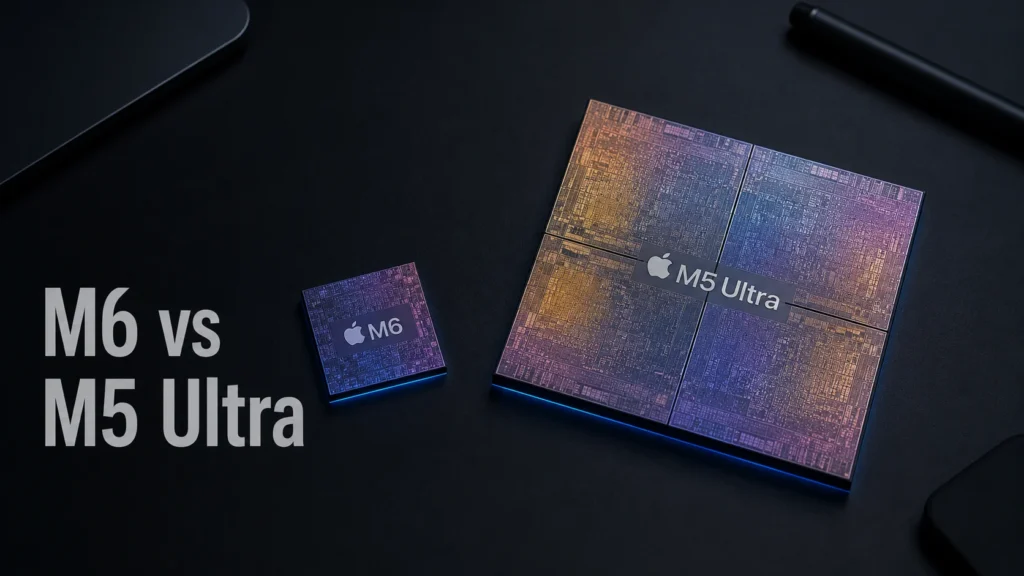
Apple just split its desktop lineup into two completely different machines. The M6 is the small, everyday chip. The M5 Ultra is the beast you buy when money isn’t really the question anymore. Here’s what actually separates them.
The Short Answer
The M6 is Apple’s first 2-nanometer chip, and it’s built for people who want a fast, efficient everyday Mac — think Mac mini buyers, developers, students, and anyone doing normal creative work. The M5 Ultra is Apple’s most powerful chip ever built, made for professionals running huge video timelines, 3D renders, or massive local AI models that need hundreds of gigabytes of memory. If you’re not sure which one you need, you probably need the M6.
Apple announced both chips on August 25, 2026, alongside a refreshed Mac mini and Mac Studio. Neither one is a minor spec bump. One reshapes what a $900 desktop can do. The other basically turns a Mac Studio into a small AI server.
What Is the Apple M6 Chip?
The M6 is Apple’s first chip built on a 2nm manufacturing process, which packs more transistors into the same space and typically means better performance per watt. It powers the new Mac mini and eventually will show up in other Apple products the same way M-series base chips always do.
Inside, you get a 12-core CPU — two more cores than the outgoing M5 — split across 2 super cores, 4 performance cores, and 6 efficiency cores. Apple calls this its first chip with all three CPU core types working together, with the super cores doing the heavy single-thread lifting and the efficiency cores quietly handling background tasks. Apple is claiming the world’s fastest single-threaded CPU core with this generation, along with up to 1.2x faster multithreaded performance than the M5.
The GPU jumps to 12 cores too, each one carrying a dedicated Neural Accelerator, which is Apple’s way of squeezing more AI compute out of graphics hardware instead of routing everything through the Neural Engine alone. That’s paired with a new Dual 16-core Neural Engine that can run both engines at once, roughly doubling peak AI compute versus the previous generation.
Memory tops out at 32GB, with bandwidth rated up to 170GB/s — a 10% bump over the M5. That memory ceiling is the real story here. It tells you exactly who this chip is for: people who don’t need to load enormous AI models or scrub through 8K timelines with dozens of layers.
What Is the Apple M5 Ultra?
The M5 Ultra is a different animal entirely. Apple builds it by fusing two dual-die M5 Max chips using a new generation of UltraFusion, creating what the company calls its first quad-die architecture in an M-series chip. Four dies acting as one processor is not a small engineering feat — Apple says the interconnect bandwidth between the dies now exceeds 4.4TB/s.
That fusion gets you a CPU with up to 36 cores (12 super cores and 24 performance cores) and a GPU that scales up to 80 cores, each with its own Neural Accelerator. Apple’s benchmarks put single-threaded performance at up to 1.25x the M3 Ultra and multithreaded at up to 1.3x, with peak AI GPU compute rated at 4.5x the M3 Ultra.
Then there’s memory: up to 512GB of unified memory, running at a genuinely wild 1.2TB/s of bandwidth — 50% higher than the M3 Ultra. That’s the number that matters most if you work with local AI models, because it means you can load an LLM with hundreds of billions of parameters and keep it entirely on your own machine, no cloud required.
The M5 Ultra also picks up a fuller media engine — four ProRes encode/decode engines plus hardware AV1 decode — which matters a lot if your day job involves editing multi-stream 8K footage in Premiere Pro or DaVinci Resolve.
Apple M6 vs M5 Ultra: Side-by-Side Specs
| Spec | M6 | M5 Ultra |
|---|---|---|
| Process node | 2nm | 3nm (fused M5 Max dies) |
| CPU cores | 12 (2 super + 4 perf + 6 efficiency) | Up to 36 (12 super + 24 perf) |
| GPU cores | 12, with Neural Accelerators | Up to 80, with Neural Accelerators |
| Neural Engine | Dual 16-core | 32-core |
| Max unified memory | 32GB | 512GB |
| Memory bandwidth | Up to 170GB/s | Up to 1.2TB/s |
| Architecture | Single die | Quad-die via UltraFusion |
| Ships in | Mac mini (from $899) | Mac Studio (from $5,499) |
| Ship date | September 22, 2026 | September 22, 2026 (512GB config in late October) |
The gap in memory bandwidth alone — 170GB/s versus 1.2TB/s — tells you these chips aren’t really competing for the same buyer. They’re not even in the same weight class.
Where the M6 Actually Wins
Efficiency is the M6’s real advantage, not raw power. A 2nm process combined with a 12-core CPU means Apple can push more performance through less die space and less heat. For a Mac mini that sits quietly on a desk, that translates into a machine that stays fast without sounding like a hair dryer.
The M6 is also the far better value. At $899 for the Mac mini, you’re getting Apple’s newest core architecture, a genuinely capable 12-core GPU for ray-traced gaming, and enough AI acceleration to run smaller local models comfortably. For coding, Xcode compiles, everyday Photoshop work, and browsing with forty tabs open, this chip has more headroom than most people will ever use.
Where it falls short: 32GB of memory is not a lot in 2026, especially if you’re the type who keeps a browser, an IDE, a couple of Docker containers, and a local AI model open at the same time. If your workflow brushes up against that ceiling even occasionally, the M6 will feel tight sooner than you’d like.
Where the M5 Ultra Actually Wins
The M5 Ultra exists for one reason: memory. Nothing else on the market — not from Apple, not from anyone building consumer or prosumer hardware — gives you 512GB of fast unified memory in a desktop this size. That number opens doors that were simply closed before, like running a 400-billion-parameter open-weight model locally without renting a data center.
For video professionals, the combination of four ProRes engines and 1.2TB/s of bandwidth means multiple streams of 8K footage with heavy color grading stay smooth without dropping to proxy files. For anyone doing 3D rendering, simulation work, or scientific computing, the 36-core CPU and 80-core GPU give you desktop workstation power that used to require a much bigger, louder machine.
Where it falls short: $5,499 to start is a serious commitment, and that’s before you add the memory you actually want. Push toward 512GB and the price climbs fast — and that configuration doesn’t even ship until late October. For most people, this is overkill. Apple built the M5 Ultra for a specific type of pro, not for a general upgrade.
So Which One Should You Buy?
Ask yourself one question: do you regularly run out of memory on your current Mac? If the honest answer is no, the M6 will cover you for years and save you thousands of dollars. If you’re training or running large AI models locally, editing feature-length 8K projects, or doing render work that currently sends your fans into overdrive, the M5 Ultra is built specifically for that pain.
There’s no in-between chip this round — Apple skipped straight from its entry silicon to its most extreme configuration, at least for this announcement. If you land somewhere in the middle, the M5 Pro or M5 Max (also part of this same launch) is worth a look before you commit to either extreme.
Frequently Asked Questions
Is the Apple M6 faster than the M5 Ultra? No, not for demanding workloads. The M6 has faster single-core speed on paper, but the M5 Ultra’s 36 CPU cores, 80-core GPU, and 1.2TB/s memory bandwidth make it dramatically more powerful for multithreaded tasks like rendering, video editing, and running large AI models.
What Mac comes with the M6 chip? The M6 debuts exclusively in the new Mac mini, starting at $899 for the base configuration with 16GB of memory and 256GB of storage. It’s expected to appear in future MacBook models the same way earlier base-tier chips have.
What Mac comes with the M5 Ultra chip? The M5 Ultra powers the new Mac Studio, starting at $5,499. Configurations with 512GB of unified memory cost more and won’t ship until late October 2026, roughly a month after the initial launch date.
Can the M6 run large AI models locally? It can run smaller models comfortably thanks to its Dual 16-core Neural Engine and Neural Accelerator-equipped GPU, but its 32GB memory ceiling limits it to lighter local models. For running models with hundreds of billions of parameters, you’d need the M5 Ultra’s much larger memory pool.
Is the M5 Ultra worth it for gaming? Not really, unless gaming is a side benefit of buying it for professional work. The 80-core GPU is excellent for rendering and AI, but the M5 Ultra’s price puts it far outside sensible gaming-desktop territory. The M6’s 12-core GPU with ray tracing support is a more reasonable gaming option for the price.
When can I buy the Mac mini with M6 or the Mac Studio with M5 Ultra? Both machines are available for pre-order now and begin shipping September 22, 2026. The exception is the Mac Studio configured with 512GB of unified memory, which Apple says will arrive in late October 2026.