Independent coverage. No sponsorship and no affiliate links. I haven’t handled an affected phone myself. Everything below comes from Apple’s statements, AT&T’s customer message, and owner reports I cross-checked.
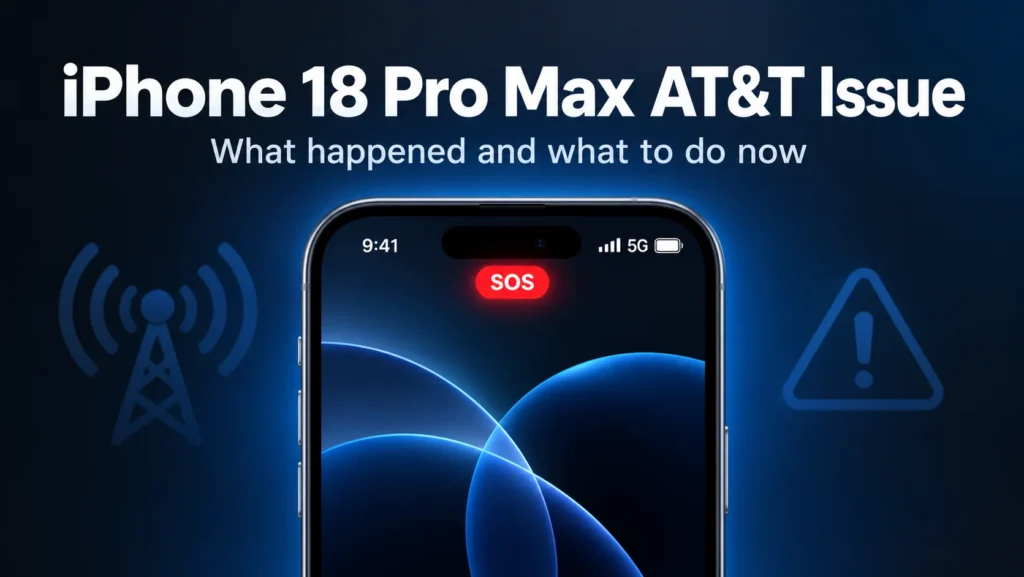
Some brand-new iPhones are now expensive Wi-Fi gadgets. The iPhone 18 Pro Max AT&T issue leaves affected phones stuck on SOS with no calls, texts or data. Apple confirmed it on October 2: updates are meant to prevent the problem, but phones that already lost service need a replacement.
This story is moving fast. I’m updating this page as Apple and AT&T add details. If you own a Pro Max on AT&T right now, jump to the checklist below.
What is the iPhone 18 Pro Max AT&T issue?
It’s a cellular failure hitting some U.S. iPhone 18 Pro Max phones on AT&T. Affected owners see SOS in the status bar and can’t connect for calls, texts or data.
Apple says a small number of people are affected. But MacRumors reported thousands of complaints across Apple’s support forums and other platforms. A small share of a huge launch is still a lot of angry people.
The phone costs $1,299, according to Bloomberg, and went on sale about two weeks ago. Bloomberg adds that affected phones are largely unusable unless they’re on Wi-Fi. That’s a steep price for a pocket router.
Here is what owners describe:
- SOS in the status bar, sometimes flipping between 5G and SOS
- Calls that never connect
- Texts and mobile data that stop working
- eSIM setup that fails on some phones
The annoying part is that it’s random. Not every iPhone 18 Pro Max on AT&T is hit. You can’t tell from the box whether you got a good one.
Which iPhones and carriers are affected?
So far, only the U.S. iPhone 18 Pro Max on AT&T. Apple says it hasn’t seen the problem on other iPhone models or other carriers. MacRumors
| Phone | Cellular modem | AT&T problem reported? |
|---|---|---|
| iPhone 18 Pro Max (U.S.) | Qualcomm Snapdragon X85 | Yes |
| iPhone 18 Pro Max (outside U.S.) | Apple C2 | No reports found |
| iPhone 18 Pro | Apple C2 | No reports found |
The U.S. Pro Max uses the Qualcomm chip, while the Pro Max sold in other countries uses Apple’s own C2.
One caveat. A MacRumors forum user said their phone also cycled between service and SOS on Verizon. That’s a single anecdote. Apple’s position hasn’t changed.
Is the Qualcomm modem to blame?
Nobody outside Apple and AT&T can say yet. Apple hasn’t disclosed the cause.
The modem is the obvious suspect. It’s the one hardware difference between the U.S. Pro Max and the other new models. But the theory has a hole. If the chip alone were the problem, I’d expect Pro Max owners on Verizon and T-Mobile to be loud about it too.
Early reports also pointed at eSIM provisioning. And one detail made me raise an eyebrow. An AppleInsider reader said Apple’s tests found nothing wrong, Apple replaced the phone anyway, and the new one works.
Here’s my read, and it’s only a read. This looks like a hardware-and-network combination. Apple says failed phones need replacing. That tells me something on the device stops working, not just a setting.
What did Apple and AT&T say, and when?
- September 18: The iPhone 18 Pro and Pro Max launch.
- September 25: MacRumors reports AT&T connectivity and eSIM complaints from its forums, Reddit and the Apple Support Community.
- September 28: Apple ships iOS 27.0.1. The release notes cover Face ID and camera bugs and say nothing about cellular.
- October 1: AT&T texts customers to install iOS 27.0.1, warning that some phones may fail on calls, texts and data, 911 included.
- October 2: Apple confirms the issue and issues a carrier settings update.
There’s a cruel joke in AT&T warning you by text message that your text messages might fail.
Does iOS 27.0.1 fix the iPhone 18 Pro Max AT&T problem?
Not for phones that already lost service. Apple says the software updates won’t restore service on devices that already failed. Apple frames the updates as prevention for phones that still work.
9to5Mac reported that many owners installed iOS 27.0.1 on release day and still had the problem. So treat the update as insurance, not a cure.
Compare last year. The iPhone 17 Pro’s cellular complaints mostly faded after iOS 26.0.1, which pointed to software. This time Apple itself says failed phones need replacing. That’s a bigger deal.
How do I protect my iPhone 18 Pro Max on AT&T?
Do these in order:
- Install iOS 27.0.1. Open Settings, tap General, then Software Update.
- Install the carrier settings update. Apple says it will download automatically over the next 14 days. To trigger it manually, open Settings, tap General, then About. Apple’s guide to manually updating carrier settings says the install takes under a minute and you can keep using your phone.
- Watch your status bar for a day or two. If you see SOS even once, treat it as a warning.
- Don’t trust the phone for emergencies if it shows SOS. AT&T specifically warned about 911. Use another phone or a landline until yours is replaced.
- If service is already gone, get a replacement. Apple says to contact Apple Support or AT&T, or visit an Apple Store or AT&T location. MacRumors says Apple Stores appear to be replacing affected phones for free, so book a Genius Bar appointment.
What didn’t work for owners? Reports say restarts, Airplane Mode, network resets and new eSIMs gave mixed results. Some people found a new eSIM helped for a while. Don’t burn a whole weekend on resets if the phone keeps dropping.
If you’re unsure how a SIM setup differs from an eSIM one, our guide to eSIM and physical SIM differences explains it. And before any big update, learn how to update your phone’s software safely, including backups.
Should you keep, return, or skip the iPhone 18 Pro Max on AT&T?
If yours works, keep it and install both updates. If you haven’t bought yet, I’d wait a week or two. Apple hasn’t named a cause, and a $1,299 phone shouldn’t be a gamble.
If you can’t wait, buy somewhere with easy returns. Test calls, texts and data hard in the first few days. I won’t quote return windows here because they differ by store and plan.
The smaller iPhone 18 Pro is the safer pick on AT&T today. It uses Apple’s C2 modem. No other iPhone models are known to be affected. It isn’t flawless, though. Some early owners reported Face ID trouble, and iOS 27.0.1 targeted Face ID and camera bugs.
Open to switching sides? Our roundup of flagship Android phones is a fair comparison point. The phone I’d buy depends on what you need, not who sponsors me. Nobody does.
Does this affect readers in Pakistan, the UK and Australia?
Almost certainly not, unless your phone runs on AT&T. AT&T is a U.S. carrier. Apple says it has only seen this on the AT&T network. The Pro Max sold outside the U.S. also uses Apple’s C2 modem.
There’s one wrinkle. Many buyers in Pakistan import U.S.-spec iPhones. Those carry the Qualcomm modem. Apple hasn’t seen failures off AT&T, so the risk looks low. But if you’re buying a U.S. model from a reseller, ask how replacement works if it fails. Given Apple’s statement, that’s a fair question.
What should you do next?
Open Settings, tap General, tap About, and install any carrier update waiting there. Then check your status bar twice a day this week. If SOS appears, book an Apple Store appointment and ask for a replacement.
I’ll update this page when Apple names a cause or announces a service program. Bookmark it, and check back before you decide to return anything.
FAQ SECTION:
Q1: Why does my iPhone 18 Pro Max say SOS on AT&T?
A1: SOS usually means your phone can’t connect to your own carrier. Some iPhone 18 Pro Max owners on AT&T see it constantly or on and off. Apple confirmed a cellular issue affecting a small number of AT&T users on October 2. Install iOS 27.0.1 and the carrier settings. If SOS stays, contact Apple or AT&T.
Q2: Is the iPhone 18 Pro Max AT&T issue fixed by iOS 27.0.1?
A2: Not fully. Apple says iOS 27.0.1 and the carrier settings update are meant to prevent the problem on phones that still work. They won’t restore service on phones that already failed, which Apple says need a hardware replacement. Some owners still reported problems after updating, so watch your status bar.
Q3: Can the iPhone 18 Pro Max call 911 during this problem?
A3: AT&T warned that some affected phones may be unable to complete calls, texts or data, including to 911. If your phone shows SOS or no service, don’t rely on it in an emergency. Use another phone or a landline, and get yours replaced quickly.
Q4: Does the issue affect Verizon, T-Mobile or other iPhones?
A4: Apple says it has only seen the problem on iPhone 18 Pro Max phones on AT&T, and no other iPhone models or carriers are known to be affected. One forum user claimed trouble on Verizon, but that’s a single unconfirmed report. The iPhone 18 Pro, which uses Apple’s C2 modem, has no reported AT&T failures.
Q5: How do I get a replacement iPhone 18 Pro Max?
A5: Contact Apple Support or AT&T, or visit an Apple Store or AT&T location. MacRumors says Apple Stores appear to be replacing affected phones at no charge, though Apple hasn’t announced a formal service program. Book a Genius Bar appointment and mention the SOS problem and your carrier.
Q6: Should I buy the iPhone 18 Pro Max on AT&T right now?
A6: If you can wait, waiting a week or two is safer, because Apple hasn’t named a cause. If you need a phone now, buy where returns are easy and test calls, texts and data in the first days. The smaller iPhone 18 Pro uses Apple’s modem and has no reported AT&T failures.