Samsung Health is telling users to agree to AI training on their health data or lose everything synced to their Samsung account. If you decline, or later withdraw consent, Samsung stops syncing your data and deletes what’s already stored — sleep logs, medication records, cycle tracking, even full medical history. You can still keep using the app locally, but your cloud backup is gone.
That’s the short version. The longer version is messier, and it’s the part most coverage of this glossed over.
What Exactly Changed in Samsung Health?
Since Monday, Samsung Health has been showing a new screen called “Consent to the Use of Health Data for AI Training and Modelling.” It’s not buried in a settings menu nobody visits — it pops up when you open the app.
Samsung’s own wording is blunt: the health data you’ve allowed it to collect will be used for AI training and modeling, “including human review,” to improve Samsung Health and its AI features. Human review means actual people, not just algorithms, may look at parts of your data during model development.
The rollout is phased. Not every user has seen it yet, but if you have a Samsung account linked to Samsung Health, you probably will soon.
What Health Data Does This Cover?
This isn’t limited to step counts. Samsung lists:
- Activity and step data
- Sleep tracking
- Medication records
- Menstrual cycle tracking
- Full health records, including treatments and test results
If you sync a Galaxy Watch or Galaxy Ring, add biological aging indicators, body fat percentage, heart rate variability, skin temperature, and blood oxygen levels to that list. This is not casual fitness data. Some of it — medications, diagnoses, cycle tracking — sits in the same category health regulators treat as sensitive personal information, alongside things like sexual orientation or criminal records.
What Happens If You Refuse?
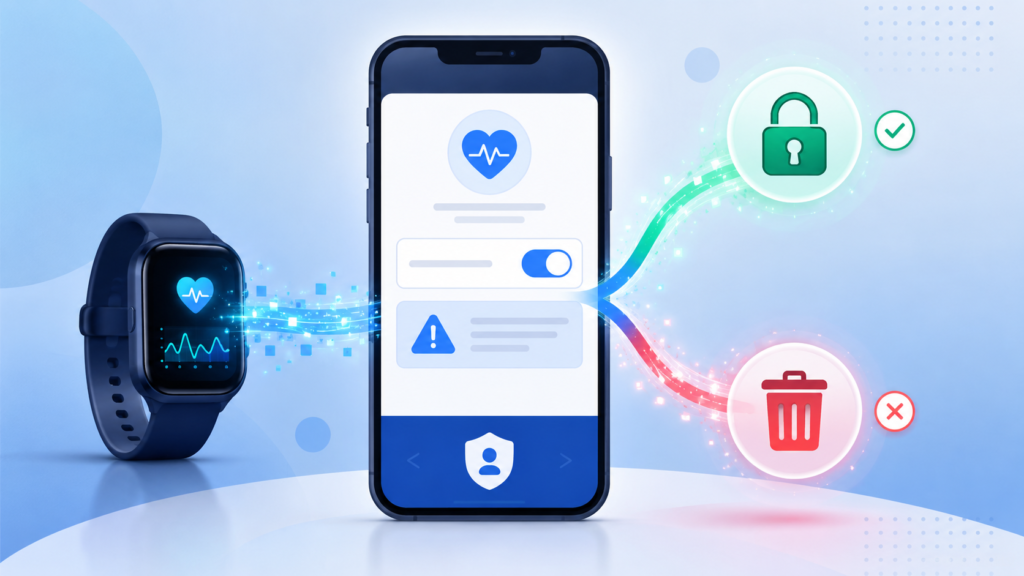
Try to turn the toggle off and Samsung Health stops you with a warning first. The message, word for word: your account sync gets disabled, and your existing synced data gets deleted — unless Samsung is legally required to hold onto it.
Break that down into two consequences:
- No more sync. Your health data stops backing up to your Samsung account. Lose your phone or reset your watch, and there’s nothing to restore from.
- Existing data gets wiped. Years of sleep logs, medication history, and cycle data already stored on Samsung’s servers get deleted, not just disconnected.
Data stored locally on your device isn’t touched. But local-only data isn’t the same as a real backup, and most people don’t realize that until they need it.
An early poll from Android Authority found 86% of respondents said they’d refuse. Samsung’s answer to that refusal is what’s drawing the backlash — this isn’t a “maybe later” checkbox, it’s a real trade-off with a real cost.
Is This Actually Legal? The GDPR Problem
Here’s where it gets interesting, and where most of the coverage stopped short.
Under GDPR, consent has to be freely given. Article 7(4) is specific about this: if a company makes a service conditional on consenting to processing that isn’t necessary for that service, the consent isn’t valid. Cloud backup and AI training are two different things. Samsung bundled them.
Article 9 raises the stakes further, since health data counts as a “special category” requiring explicit, unpressured consent. And the right to withdraw consent is supposed to come without a penalty attached. Deleting someone’s entire health history the moment they say no looks a lot like a penalty.
This is close to the same “pay or consent” pattern the EU already ruled against in Meta’s case, where regulators forced the company to offer a genuinely free alternative. No formal complaint against Samsung has been filed as of this writing. But GDPR fines for Article 9 violations can reach 4% of global annual turnover — for Samsung Electronics, that’s a number with a lot of zeros. The legal exposure here is not hypothetical.
Samsung has said publicly, in general terms, that health data gets anonymized and isn’t sold to advertisers. Fair enough — but that commitment doesn’t appear in the actual consent notice users are shown. When the marketing language and the policy text disagree, the policy text is what a regulator reads.
Samsung Health vs. Apple Health: Two Different Philosophies
| Samsung Health (new policy) | Apple Health | |
|---|---|---|
| AI training default | Opt-in required to keep syncing | Not tied to core app function |
| Processing location | Cloud, with human review | Mostly on-device |
| Refusal consequence | Sync disabled, synced data deleted | No sync penalty |
| Data scope | Fitness + medical records + cycle data | User-controlled, per-category permissions |
Apple isn’t perfect on privacy either, but the architecture is different by design: process on-device, ask permission per data category, and don’t hold cloud sync hostage to a training consent. Samsung picked a different path this time, and it’s the path that’s causing the trouble.
How to Export Your Samsung Health Data Before You Decide
Whatever you choose, back up your data first. Here’s how:
- Open Samsung Health and go to Settings.
- Tap Download personal data (sometimes listed under Privacy).
- Wait for Samsung to generate the export — this can take a few minutes for years of data.
- Save the file somewhere outside the app, like your own cloud storage or a computer.
Do this before you touch the AI training toggle either way. If you consent and change your mind later, you’ll want your own copy of the data before you withdraw.
Where to Find the Toggle and What to Expect
Go to Samsung Health > Settings > Privacy > Consent to the use of health data for AI training and modelling. The control is easy to find. Using it isn’t consequence-free, though — turning it off triggers the same sync-and-delete warning described above, every time.
Is It Worth Consenting?
That depends on how much you value the AI features Samsung is building — sleep coaching, heart health scores, predictive fatigue tracking — against how much you value keeping medical-grade data out of a training pipeline with human reviewers attached.
There’s no universally correct answer here. If you rarely use cloud sync and mostly care about the on-device dashboard, refusing costs you little. If you’ve built years of health history into Samsung’s ecosystem and rely on cross-device sync, the calculus is harder, and that’s exactly the position Samsung’s design puts people in.
What Samsung Hasn’t Said
A few real gaps remain, and no outlet has gotten Samsung to answer them directly yet:
- Whether data is anonymized or pseudonymized before human reviewers see it, or after
- How long the review-stage data is retained
- Whether a model already trained on someone’s data can be made to “forget” it once consent is withdrawn
- The exact regions where this rollout applies — reports describe it surfacing in the US and across the EU, without an official region list from Samsung
Until Samsung answers those, treat the reassurances in its PR statements as separate from what the consent notice actually promises.
FAQ SECTION:
Q1: What happens if I decline Samsung Health’s AI training consent? A1: Your Samsung Health data stops syncing to your Samsung account, and any data already stored there gets deleted, unless Samsung is legally required to keep it. Data on your device stays put, but you lose your cloud backup.
Q2: Can I withdraw AI training consent after agreeing to it? A2: Yes. Go to Samsung Health > Settings > Privacy and turn off the AI training toggle. Withdrawing triggers the same sync-and-delete warning as declining from the start.
Q3: Does this apply to iPhone users too? A3: Yes. Samsung Health is available on iOS, and the same consent policy applies to iPhone users who sync health data to a Samsung account.
Q4: Is Samsung’s policy legal under GDPR? A4: It’s contested. GDPR requires consent to be freely given and not penalized on withdrawal. Tying data deletion to a refusal of AI training looks similar to practices the EU already ruled against in a separate case involving Meta, though no formal ruling against Samsung exists yet.
Q5: What Samsung Health data is used for AI training? A5: Activity and step data, sleep tracking, medication records, menstrual cycle tracking, and full health records including treatments and test results. Watch and ring users also contribute heart rate variability, skin temperature, and blood oxygen data.
Q6: How do I back up my Samsung Health data before deciding? A6: Open Samsung Health, go to Settings, and select Download personal data. Save the export outside the app before touching the AI training toggle either way.