Broadcom patched a critical flaw in VMware Workstation and Fusion this week, and it’s scoring a 9.3 out of 10 on the CVSS scale. That number alone has people calling it a critical RCE. It isn’t, at least not in the way most people mean when they say that.
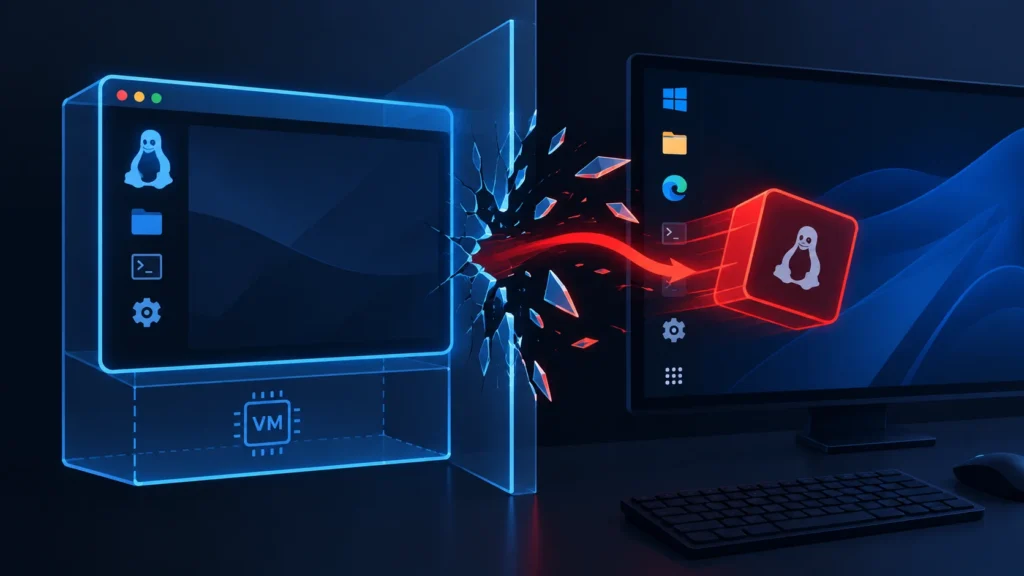
CVE-2026-59346 is a VM escape bug, not a remote attack. An attacker needs local administrator access inside a guest virtual machine that’s using a VMXNET3 network adapter. From there, they can break out and run code on your actual host machine. That’s still bad. It’s just not “someone on the internet can hack your laptop” bad.
We run VMware Workstation daily for testing Android builds and spinning up disposable environments, so this one caught our attention fast. Here’s what’s actually going on, who needs to worry, and how to fix it today.
What Is CVE-2026-59346?
CVE-2026-59346 is an integer-overflow vulnerability in VMXNET3, VMware’s paravirtualized network adapter. Broadcom disclosed it on September 3, 2026, as part of security advisory VMSA-2026-0007, alongside a second, less severe bug: CVE-2026-59347.
Broadcom’s own wording is blunt: “A malicious actor with local administrative privileges on a virtual machine with VMXNET3 virtual network adapter may exploit this issue to execute code on the host.” That’s the whole attack in one sentence. No admin rights in the guest, no VMXNET3 adapter, no bug to exploit.
How Bad Is It, Really?
Pretty bad if you fit the specific profile, mostly irrelevant if you don’t. Here’s the honest breakdown:
| Factor | Reality |
|---|---|
| Attack vector | Local (inside a guest VM), not remote over the network |
| Requirement | Admin/root privileges inside the guest |
| Requirement | Guest must use a VMXNET3 virtual network adapter |
| Impact if exploited | Full code execution on the physical host |
| Workaround | None — Broadcom’s matrix lists “None” for both CVEs |
| Public exploit code | None confirmed as of this writing |
| Active exploitation | Not confirmed in the wild |
The scenario that should actually worry you: malware analysis labs, CTF environments, and any setup where you deliberately run untrusted or hostile code inside a VM with admin rights. If a piece of malware you’re detonating figures out it’s in a VM with VMXNET3, it now has a documented path out.
If you’re just running a Windows VM to test a website in an old version of Internet Explorer, you’re a much lower-priority target, but you should still patch. There’s no good reason not to.
CVE-2026-59346 vs. CVE-2026-59347
Broadcom bundled two bugs into the same advisory. They’re not the same severity, and mixing them up is where a lot of the confusion online is coming from.
| CVE-2026-59346 | CVE-2026-59347 | |
|---|---|---|
| Component | VMXNET3 network adapter | HGFS (shared folders) |
| Bug type | Integer overflow | Stack-based buffer overflow |
| CVSS v3 score | 9.3 (Critical) | 8.1 (Important) |
| Requires | VMXNET3 adapter + guest admin | HGFS shared folders enabled |
| Fixed in | 26H1u1 | 26H1u1 |
Both get fixed by the same update, so there’s no reason to patch one and skip the other.
Which Versions Are Affected?
Broadcom’s advisory covers two release lines, and both operating systems:
- VMware Workstation 25H2 and 26H1 — Windows and Linux hosts
- VMware Fusion 25H2 and 26H1 — macOS hosts
Upgrading straight to 26H1u1 closes both CVEs regardless of which of the two release trains you were on.
How to Check Your Version and Patch It
You don’t need a security team for this one. It’s a normal software update.
- Check your current version. On Windows or Linux, open a terminal and run
vmware -v. On macOS, run/Applications/VMware Fusion.app/Contents/Public/vmrun -v. - Compare it against 26H1u1. If you’re on 25H2 or 26H1 without the “u1,” you’re exposed.
- Download the update from Broadcom’s support portal, or trigger it through the app’s built-in “Check for Updates” menu.
- Install and restart any running VMs after the update — a running VM doesn’t automatically pick up a host-level patch until it’s restarted.
- Check VMware Tools inside each guest, since Tools updates sometimes ship separately from the hypervisor patch.
If you manage VMware Workstation across a team or lab, push this out the same day you’d push any other critical patch. There’s no configuration flag, registry tweak, or firewall rule that mitigates this one. Broadcom says so directly — the workaround column just says “None.”
Who Reported It?
The bug was privately reported to Broadcom rather than dropped publicly, which is why there’s no proof-of-concept exploit circulating yet. Security researchers including teams affiliated with the Zero Day Initiative and Tencent’s Xuanwu Lab are credited with the discovery, based on public advisory tracking. That’s a reasonably fast, responsible disclosure timeline — the advisory and the patch landed on the same day, September 3, 2026.
Should You Actually Panic?
No. Should you patch today? Yes.
The gap between those two answers is the entire story here. A 9.3 CVSS score looks terrifying out of context, and headlines calling it “critical RCE” aren’t technically lying, they’re just skipping the part where “remote” doesn’t mean what people assume. This is a sandbox-escape bug for a specific adapter type, requiring guest-level admin access first.
That said, guest-to-host escapes are exactly the kind of bug that malware authors go looking for once a patch exists, because reverse-engineering a patch to build an exploit is a well-worn playbook. The window between “patch released” and “exploit weaponized” is where you don’t want to be running an unpatched copy, especially if your VMs handle anything untrusted.
Bottom line: update to 26H1u1 this week if you use VMware Workstation or Fusion for anything involving untrusted code, third-party VMs, or malware analysis. Everyone else should still update, just without losing sleep over it.
FAQ SECTION
Q1: Is CVE-2026-59346 a remote code execution vulnerability? A1: No, not in the sense of a remote attacker reaching you over the internet. It’s a local guest-to-host escape — the attacker needs admin access inside a virtual machine with a VMXNET3 adapter before they can exploit it.
Q2: Is CVE-2026-59346 being actively exploited right now? A2: No confirmed exploitation in the wild has been reported as of this writing, and no public proof-of-concept exploit exists yet. That can change quickly once a patch is out, so don’t treat “not yet exploited” as “safe to ignore.”
Q3: Does this affect VMware Fusion on Mac too? A3: Yes. Both VMware Workstation (Windows/Linux) and VMware Fusion (macOS) versions 25H2 and 26H1 are affected. The fix for both is the same 26H1u1 update.
Q4: Is there a workaround if I can’t update immediately? A4: No. Broadcom’s own compatibility matrix lists the workaround as “None” for both CVE-2026-59346 and CVE-2026-59347. There’s no setting or configuration change that neutralizes the risk short of installing the patch.
Q5: How do I know if my VM uses a VMXNET3 adapter? A5: Open the VM’s network adapter settings in Workstation or Fusion. If it lists “VMXNET3” as the adapter type, that VM fits the vulnerable profile. Switching to E1000 isn’t an official mitigation, so patching is still the right move.
Q6: What’s the difference between CVE-2026-59346 and CVE-2026-59347? A6: CVE-2026-59346 is a 9.3-severity integer overflow in the VMXNET3 network adapter. CVE-2026-59347 is an 8.1-severity buffer overflow in HGFS, the shared-folders feature. Both are fixed in the same 26H1u1 update.