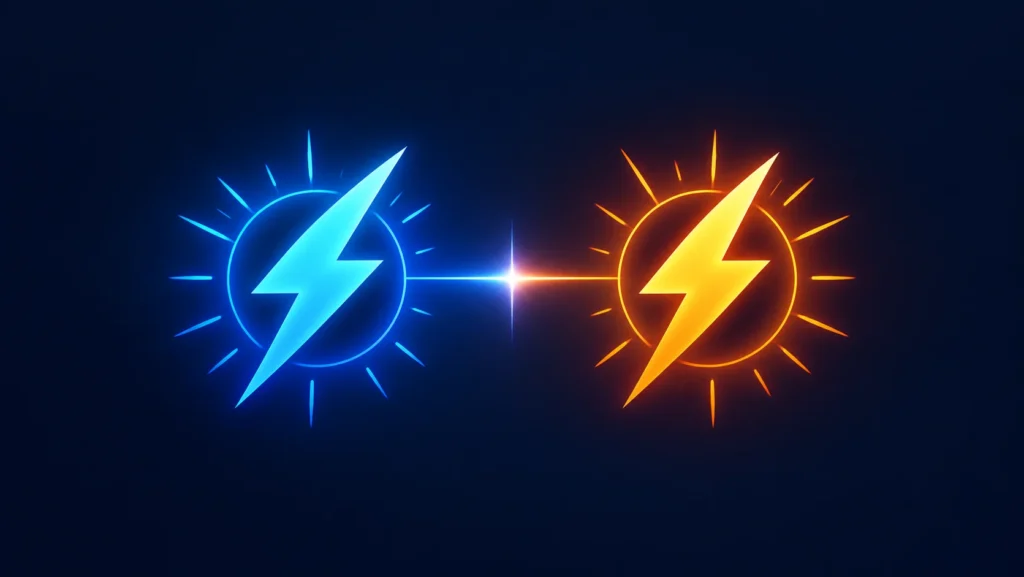
OpenAI shipped a new image model on September 8, 2026, and split it into two versions with genuinely different jobs. ChatGPT Images 2.5 is the name you’ll see inside the app. GPT-Image-2.5 Flare and GPT-Image-2.5 Sunburst are the two models developers pick between in the API. If you’ve used GPT Image 2 for anything — product mockups, thumbnails, edited photos — this is the update that decides whether you keep your current setup or switch.
I’ve been testing it against GPT Image 2 for a day now, and the short version is this: Flare is the one almost everyone should default to, and Sunburst only earns its slower generation time when you’re doing careful, multi-step edits that actually need to hold up.
What Is ChatGPT Images 2.5?
ChatGPT Images 2.5 is OpenAI’s successor to ChatGPT Images 2.0. It generates and edits images with sharper detail, more natural lighting, and better handling of transparent backgrounds and busy layouts. It also keeps faces and objects from reference photos looking like themselves across multiple rounds of edits, which was a weak point in the previous model.
Two things changed at once here. ChatGPT itself got new creative tools — Sketch, templates, and pinned comments on images. And developers got two separate models instead of one, so you now have to pick a lane.
GPT-Image-2.5 Flare: The Default, and the Fast One
Flare is the model most people should reach for first. It matches or beats GPT Image 2 on quality while cutting generation latency by up to 50%. OpenAI built it for exactly the kind of work that happens in bulk: social content, product photos, visual search results, quick concept exploration.
If GPT Image 2 was already good enough for what you’re building, Flare is a straight upgrade — same or better output, half the wait. There’s no real reason to stick with the older model once Flare is available to you.
GPT-Image-2.5 Sunburst: Slower, But Built for Precision
Sunburst is the model for work where the fourth edit still has to look as clean as the first. Campaign creative, polished product shots, anything with typography or a reference image the output has to match closely — that’s Sunburst’s job. It takes longer per generation because it’s doing more careful work on subject preservation and localized edits.
The rule of thumb I’d give a developer: start with Flare. Only move to Sunburst if Flare’s output keeps failing on the specific thing you need — usually consistency across edits, or getting fine details exactly right on the first or second try.
Flare vs Sunburst: Side-by-Side
| GPT-Image-2.5 Flare | GPT-Image-2.5 Sunburst | |
|---|---|---|
| Model ID | gpt-image-2.5-flare | gpt-image-2.5-sunburst |
| Best for | High-volume, everyday generation | Premium, precision-sensitive editing |
| Speed | Very fast — up to 50% faster than GPT Image 2 | Slower, trades speed for control |
| Quality vs GPT Image 2 | Matches or beats it | Higher, especially on complex edits |
| Typical use case | Social posts, product shots, prototyping | Campaign creative, reference-matched edits |
| API pricing | Same as Sunburst | Same as Flare |
Yes, the pricing is identical between the two. That’s worth sitting with for a second — OpenAI isn’t charging a premium for Sunburst’s extra precision, so the actual decision comes down to speed versus control, not budget.
What It Costs
Both models are priced the same in the API: text input runs $5.00 per million tokens ($1.25 cached), image input is $8.00 per million tokens ($2.00 cached), and image output is $30.00 per million tokens. That image-input rate is double what GPT Image 2 charged, so if you’re pushing large volumes of reference images through the API, budget for that jump even though the per-model choice itself doesn’t cost extra either way.
Inside ChatGPT, OpenAI hasn’t published separate generation limits by plan. Images 2.5 is rolling out across ChatGPT, ChatGPT Work, and Codex, on desktop, mobile, and web, for all tiers — including free.
Sketch: New in ChatGPT, Not in the API
This is the part I’ve seen a few write-ups get muddy on, so let’s be clear: Sketch is a ChatGPT product feature, not an API model or endpoint. You type “@Sketch” in a chat, draw something rough — a room layout, the outline of an outfit, a doodle — and ChatGPT uses your drawing as a visual guide for the final image.
If you’re building against the API, Sketch doesn’t exist as a parameter you can call. What you get instead is the ability to pass a reference image, which is functionally similar but not the same interaction. ChatGPT also added templates for things like posters and merch, plus the ability to leave comments pinned to a specific spot on an image instead of describing “the top left corner” in words.
Quality Settings Got More Granular
GPT Image 2.5 adds two new quality tiers on top of what GPT Image 2 offered: xhigh and max, alongside the existing low, medium, high, and auto options. For most everyday generation, auto or high will do the job. Save xhigh and max for cases where you genuinely need maximum fidelity and are willing to pay for the extra tokens that setting is likely to consume — OpenAI hasn’t published exact token costs for those top tiers yet, so test before you commit a production workflow to them.
Should You Switch From GPT Image 2?
If you’re a regular ChatGPT user, this happens automatically — there’s nothing to switch, the new model is just what you’re generating with now. If you’re a developer on the API, the honest answer is: yes, switch to Flare for anything Image 2 was already handling well, and test Sunburst specifically on your hardest edit cases before deciding it’s worth the slower generation time. Don’t assume Sunburst is strictly better — it’s better at a narrower job, and Flare will outperform it on plain speed for everything else.
One more practical note: OpenAI says images from both models carry C2PA metadata and an invisible watermark for provenance. If your workflow strips metadata before publishing, that’s worth checking — it can affect how platforms flag AI-generated content downstream.
The Bottom Line
ChatGPT Images 2.5 isn’t a huge conceptual leap — it’s a faster, more consistent version of a model most people already knew how to use, split into a speed option and a precision option. Flare is the right default for almost everyone. Sunburst earns its place only when your edits need to survive multiple rounds without drifting. If you’re already deep into GPT Image 2 workflows, this is a low-risk update worth making this week rather than something to sit on.
FAQ SECTION
Q1: What is ChatGPT Images 2.5? A1: It’s OpenAI’s image model released September 8, 2026, replacing ChatGPT Images 2.0. It generates sharper images, handles transparent backgrounds and busy layouts better, and preserves subjects from reference photos more reliably across edits.
Q2: What’s the difference between GPT-Image-2.5 Flare and Sunburst? A2: Flare is the fast, default model — it matches or beats GPT Image 2’s quality at up to 50% lower latency, and it’s built for high-volume, everyday generation. Sunburst is slower but gives tighter control over detailed edits, made for premium work like campaign creative.
Q3: Is ChatGPT Images 2.5 free to use? A3: Inside ChatGPT, it’s rolling out across all tiers including free, on desktop, mobile, and web. OpenAI hasn’t published separate per-tier generation limits. In the API, it’s a paid model priced by tokens.
Q4: How much does the GPT-Image-2.5 API cost? A4: Both Flare and Sunburst are priced the same: $5.00 per million text input tokens, $8.00 per million image input tokens, and $30.00 per million output tokens, with cheaper cached-input rates available.
Q5: Is Sketch available through the API? A5: No. Sketch is a ChatGPT-only feature triggered by typing “@Sketch” in a chat. Developers working through the API can pass reference images instead, but there’s no dedicated Sketch endpoint.
Q6: Does ChatGPT Images 2.5 replace GPT Image 2 in the API? A6: GPT Image 2 still exists as a baseline, but OpenAI is positioning Flare and Sunburst as the current models. If Image 2 already worked for your use case, Flare is a direct upgrade with no real downside.