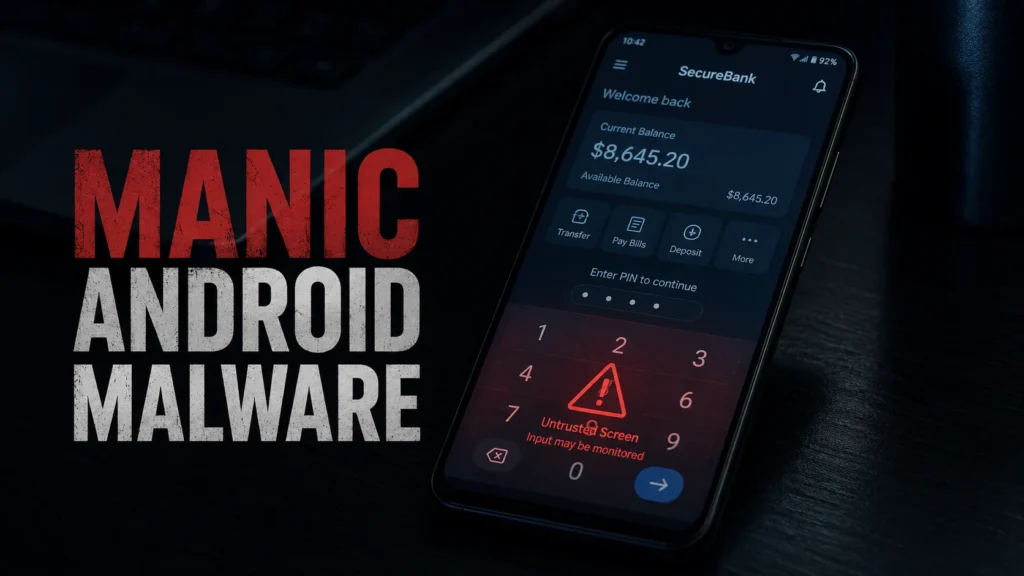
Manic is a new Android malware that steals banking PINs, one-time codes, and crypto recovery phrases, and it’s been quietly active since February 2026. What makes it different from the usual banking trojan is that it can still send your stolen data to attackers even when your phone has no internet connection, by bouncing it through another infected phone nearby.
We dug through the ThreatFabric research report and the follow-up coverage from BleepingComputer, The Hacker News, and Cybernews to pull out what actually matters if you own an Android phone.
What Is Manic Android Malware?
Manic is an Android banking trojan built by combining three things that usually show up separately: banking fraud, spyware, and remote device control. ThreatFabric, the mobile security firm that first analyzed it, found infrastructure tied to Manic going back to February 2026, with a more dangerous update arriving in July.
That July build added stronger anti-analysis tricks, in-memory code loading to dodge antivirus scanners, and a new technique for stealing your lock screen PIN before you even reach your home screen.
Here’s the part that should actually worry you: Manic doesn’t need a fake login screen to steal your PIN. It watches you enter it into your real banking app.
How Manic Actually Steals Your PIN
Most banking malware works by showing you a fake copy of your bank’s login page. Manic skips that step entirely.
Once it has accessibility permission, Manic places an invisible layer directly over the numeric keypad inside your actual banking app. When you tap your PIN, the malware records exactly where you tapped. It briefly stops intercepting your touches, then replays the same tap through Android’s Accessibility service so the real app still receives your PIN and works normally.
You never see a warning. Your banking app never glitches. The transaction goes through like nothing happened, except Manic now has your PIN too.
ThreatFabric describes the malware as classifying everything it steals into categories automatically — lock-screen PINs, SMS codes, crypto recovery phrases, passwords, and regular text — which makes the stolen data far easier for criminals to act on quickly.
Which Apps Does Manic Target?
Manic watches 169 different apps across several categories:
- Banking and payment apps
- Government and eID (electronic identity) services
- Cryptocurrency wallets and exchanges
- Authenticator and 2FA apps
- Messaging apps, including some used for military communication
- Email clients and browsers
That spread is deliberate. By covering both financial apps and messaging apps, whoever runs Manic can track a victim’s money, conversations, and location from a single infected phone.
The Offline Relay Trick That Sets Manic Apart
This is the feature that made security researchers sit up. If an infected phone can’t reach the attacker’s server directly, most malware just fails or waits. Manic doesn’t.
Instead, it encrypts the stolen data, stores it locally, and starts scanning for other infected phones nearby using Wi-Fi Direct, Bluetooth RFCOMM, or Bluetooth Low Energy. If it finds one, it forwards the data through that phone instead — and it can chain through up to four devices to reach the internet.
ThreatFabric put it plainly: cutting off a compromised phone’s internet access doesn’t guarantee the data stays put, because another infected phone within radio range can act as a bridge. That’s a genuinely clever piece of engineering, and it’s exactly the kind of clever that should make you nervous.
Who Is Manic Targeting?
Ukraine is the primary target — Manic covers Ukrainian banks, government eID services, and messaging apps in heavy detail. The campaign also reaches into Russian and European financial institutions, plus global fintech and crypto services.
So far, there’s no confirmed evidence of widespread targeting outside that region. That said, banking trojans rarely stay geographically contained for long, and the underlying technique (accessibility abuse plus keypad overlays) works on any banking app, anywhere.
Is Manic on Google Play?
No. Google confirmed to The Hacker News that no apps containing Manic have been found on Google Play, and that Play Protect — which runs by default on Android devices with Google Play Services — automatically blocks known versions of the malware.
That’s good news, but it also tells you something important: Manic is spreading through sideloaded APKs, not the Play Store. If you only ever install apps from Google Play, your exposure is already much lower.
How to Tell If Your Phone Might Be Infected
There’s no single “Manic detected” popup you’ll see, but a few warning signs are worth checking right now:
- Check your Accessibility settings. Go to Settings → Accessibility and look for any app you don’t recognize or didn’t knowingly enable.
- Check Notification Access the same way, under Settings → Apps → Special app access → Notification access.
- Look for apps installed outside Google Play that you don’t remember downloading.
- Watch for a banking app that feels slightly “off” — a brief freeze, a flicker, or the screen going black for a second during login.
- Run a Play Protect scan from the Play Store app under Settings.
None of these on their own confirm infection. But if you find an unfamiliar app with Accessibility access, treat it as a real problem, not a maybe.
How to Protect Yourself From Manic and Similar Malware
- Stick to Google Play. Manic spreads through sideloaded APKs from outside the Play Store. Google’s own data shows the store itself is clean of this particular malware right now.
- Be stingy with Accessibility permission. Almost nothing legitimate needs it. If an app asks for Accessibility access and you can’t explain why, don’t grant it.
- Keep Play Protect turned on and let it scan regularly — it’s on by default, so check it hasn’t been disabled.
- If you suspect infection, don’t “clean” the same phone and keep using it for banking. Use a separate, trusted device to change your passwords, revoke active sessions, and replace any exposed 2FA or recovery codes first.
- Call your bank through the number on your card, not a number from a text or notification, if you think your account was touched.
Manic vs. Other Android Banking Trojans
| Feature | Manic | Typical Banking Trojan |
|---|---|---|
| Steals PIN via fake login screen | No — uses invisible overlay on the real app | Yes, usually |
| Works offline | Yes, via Bluetooth/Wi-Fi relay to nearby infected phones | No |
| Remote screen control | Yes, via WebRTC | Rare |
| Target app count | 169+ | Usually under 50 |
| Found on Google Play | No (confirmed by Google) | Sometimes |
That relay trick is what makes Manic unusual. Most banking malware still needs a live internet connection to be useful to attackers. Manic doesn’t.
FAQ SECTION
Q1: Is Manic malware on the Google Play Store? A1: No. Google confirmed that no apps containing Manic have been found on Google Play, and Play Protect automatically blocks known versions of the malware on Android devices where it’s enabled by default.
Q2: How does Manic steal a banking PIN without a fake login screen? A2: It places an invisible overlay over the real keypad inside your actual banking app, records your tap positions, then replays them through Android’s Accessibility service so the real app still receives your PIN normally.
Q3: Can Manic steal my data if my phone has no internet connection? A3: Yes. It stores the data locally, then searches for other infected phones nearby using Wi-Fi Direct or Bluetooth and relays the data through up to four devices to reach the attacker’s server.
Q4: Which apps does Manic target? A4: At least 169 apps across banking, government eID services, crypto wallets, 2FA authenticators, messaging, email, and browsers, with a strong focus on Ukrainian and European financial services.
Q5: How do I check if Manic is on my phone? A5: Check Settings → Accessibility and Settings → Apps → Special app access → Notification access for any app you don’t recognize, then run a Play Protect scan from the Play Store settings.
Q6: How do I remove Manic malware if I think I’m infected? A6: Revoke suspicious apps’ Accessibility and notification permissions, uninstall the app, then use a separate trusted device to change your passwords and 2FA codes before doing anything banking-related on the infected phone again.