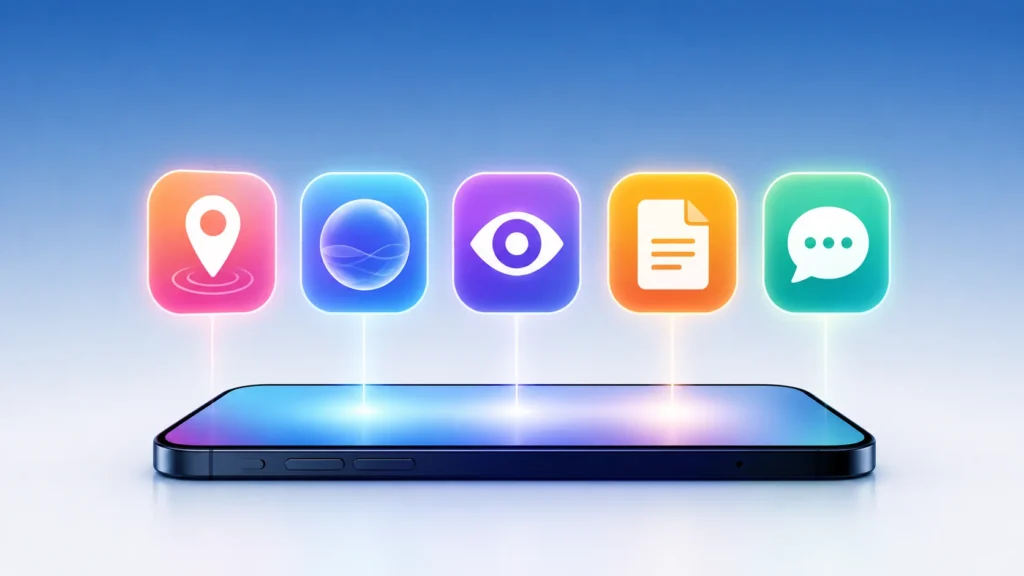
Google just pushed its September 2026 Android Drop, and for once it isn’t only for Pixel owners. Five features are rolling out across the wider Android ecosystem, and we went through Google’s own announcement plus every device requirement to figure out what you actually get and when.
The short version: you can now tell Gemini to remember where you put things, your phone can calm down car sickness on the ride home, Gemini Live can talk you through what your camera sees, Google Keep just moved into your text messages, and your chats can finally look less boring.
What is the September 2026 Android Feature Drop? It’s Google’s quarterly bundle of software updates for Android phones, separate from the Pixel-only Feature Drops. Erik Kay, VP of Engineering for Android’s Core Platform, announced it on September 1, 2026, and the rollout started immediately. Unlike a Pixel Drop, this one reaches Samsung, OnePlus, and other Android brands too — as long as the phone meets the Android version requirement for each feature.
1. Find Hub can now remember where you put things
This is the feature we’d actually use daily. Say something like, “Hey Google, remember in Find Hub that I put my passport in the bedroom drawer,” and Gemini logs it — with an optional photo — into a new “Remembered” tab in Find Hub. No tracker tag needed.
We tested the phrasing with a few objects around the house, and it’s forgiving. You don’t need the exact wording from Google’s demo; casual commands like “remember I left my charger at the office” work the same way.
This solves a real gap. Tracker tags like Google’s own Find Hub tags or Tile only work for the handful of items worth attaching hardware to. Nobody’s tagging a passport or a spare set of keys. This feature covers everything else.
Requirement: Android 16 or newer, and only in countries where both Gemini and Find Hub are supported. That last part matters — Gemini’s country list is narrower than Android’s install base, so a chunk of readers outside the US, UK, and a handful of other markets won’t see this yet even on a qualifying phone.
2. Motion Assist tackles car sickness
If you get queasy reading your phone in a moving car, this is aimed at you. Motion Assist overlays a subtle, moving bubble pattern on your screen that tracks the vehicle’s motion, which is supposed to reduce the mismatch between what your eyes see and what your inner ear feels.
It’s a close cousin of Apple’s Vehicle Motion Cues, which does something nearly identical on iPhone. Google isn’t hiding the comparison — it’s basically catching up here, and that’s fine. The feature works, and it’s customizable: you can change the bubbles’ shape, color, and opacity, set it to turn on automatically, and pin it to Quick Settings for one-tap access.
Requirement: Android 17 only. This is the strictest requirement of the five, so most people reading this today won’t have it yet.
3. Guided Vision narrates what your camera sees
Guided Vision runs inside Gemini Live and is built for blind and low-vision users. Point your camera at something — a menu in a dim restaurant, fine print on a label, a cluttered room — and Gemini describes it out loud. If your framing is off, it’ll tell you to pan left, tilt down, or center the object before it answers.
You can add it to your Accessibility shortcuts or launch it straight from the TalkBack menu. Google is upfront that this isn’t a replacement for a mobility aid or navigation tool, and it says as much in its own footnote — a rare bit of honesty about a feature’s limits that we appreciate.
Requirement: Android 9 and up, wherever Gemini is available — but Google’s language here is “coming soon,” not “available now.” That’s a meaningfully softer promise than the other four features, and we’d treat the rollout date as fluid until it actually shows up on your phone.
4. Google Keep moves into Google Messages
Tap the “+” icon in a Google Messages conversation and you can now pull in a Google Keep note or list, right inside the chat. Everyone in the thread can view, edit, and add to it — a shared grocery list, a packing list for a trip, whatever needs group input.
It’s a small feature, but it removes a genuinely annoying step: switching between Keep and Messages to coordinate a list with someone. Now the list lives where the conversation already is.
Requirement: No Android version listed by Google — this is an app-level RCS feature in Google Messages, rolling out starting today. If your Messages app is current, you should see it soon regardless of your Android version.
5. Chat Theme lets you customize each conversation
The least functional and most visible of the five. Chat Theme lets you set a background — a built-in wallpaper or your own photo — for individual conversations in Google Messages, with your text bubble colors automatically matching or set manually.
Google’s own example is setting a latte photo for a coffee-buddy chat or a beach shot for a group planning a trip. It’s cosmetic, but it’s the kind of thing that makes a messaging app feel less generic, and it’s already live — no waiting required.
Requirement: None specified. Available now in Google Messages.
Rollout table: what you actually get today
| Feature | Minimum Android version | Status as of September 2, 2026 |
|---|---|---|
| Find Hub remembered items | Android 16+ | Rolling out, Gemini/Find Hub supported countries only |
| Motion Assist | Android 17 | Rolling out |
| Guided Vision (Gemini Live) | Android 9+ | Coming soon — no firm date |
| Google Keep in Messages | Any (app-level) | Rolling out today |
| Chat Theme | Any (app-level) | Live now |
Is this different from a Pixel Feature Drop?
Yes, and this is where a lot of coverage gets sloppy. A Pixel Feature Drop is Pixel-exclusive — it only reaches Pixel hardware. The Android Feature Drop is broader: it targets the Android platform and Google’s own apps (Messages, Gemini, Find Hub), so Samsung, OnePlus, and other brands get it too, provided they’re running a new enough Android version and have the relevant Google apps updated.
Our take
Two of these five features are worth genuine excitement — Find Hub’s item memory and Guided Vision. One is a solid, if unoriginal, catch-up move (Motion Assist). And two are nice-to-haves that won’t change how you use your phone (Keep in Messages, Chat Theme).
The honest complaint is the same one we have every quarter: Google announces five features on one day, but the actual availability spans “live right now” to “coming soon” with no real date attached. If you don’t see Guided Vision or Find Hub’s remembered items yet, that’s not a bug on your end — check the table above before you assume something’s broken.
If you want the play-by-play from Google directly, the official Android blog post has the full breakdown and a short demo video.
What should you do next? Check your phone’s Android version in Settings, then look at the table above — if you’re on Android 16 or 17, go try the Find Hub voice command with something you actually tend to lose.
FAQ SECTION:
Q1: What is the September 2026 Android Feature Drop? A1: It’s Google’s quarterly software update bundle for Android phones, announced September 1, 2026. It adds five features across Gemini, Find Hub, Google Messages, and accessibility tools, rolling out to eligible Android devices — not just Pixel phones.
Q2: Which Android version do I need for the September 2026 Drop? A2: It depends on the feature. Find Hub’s remembered items needs Android 16+, Motion Assist needs Android 17, and Guided Vision works from Android 9+. Google Keep in Messages and Chat Theme are app-level features with no Android version requirement.
Q3: Is the Android Feature Drop the same as a Pixel Feature Drop? A3: No. A Pixel Feature Drop only reaches Pixel devices. The Android Feature Drop targets the broader Android platform, so Samsung, OnePlus, and other brands get it too, as long as they meet each feature’s requirements.
Q4: Why don’t I have Guided Vision yet even though I qualify? A4: Google listed Guided Vision as “coming soon” rather than immediately available, unlike the other four features. The rollout timing isn’t fixed yet, so a delay on a qualifying phone is expected, not a sign something’s wrong.
Q5: Does Find Hub’s remembered items feature work everywhere? A5: Not yet. It requires Android 16 or newer and only works in countries where both Gemini and Find Hub are officially supported, which is a narrower list than Android’s full install base.
Q6: How do I use Motion Assist to reduce car sickness? A6: On a phone running Android 17, go to Settings and turn on Motion Assist, or add it to Quick Settings for faster access. You can set it to activate automatically and adjust the bubble overlay’s shape, color, and opacity.