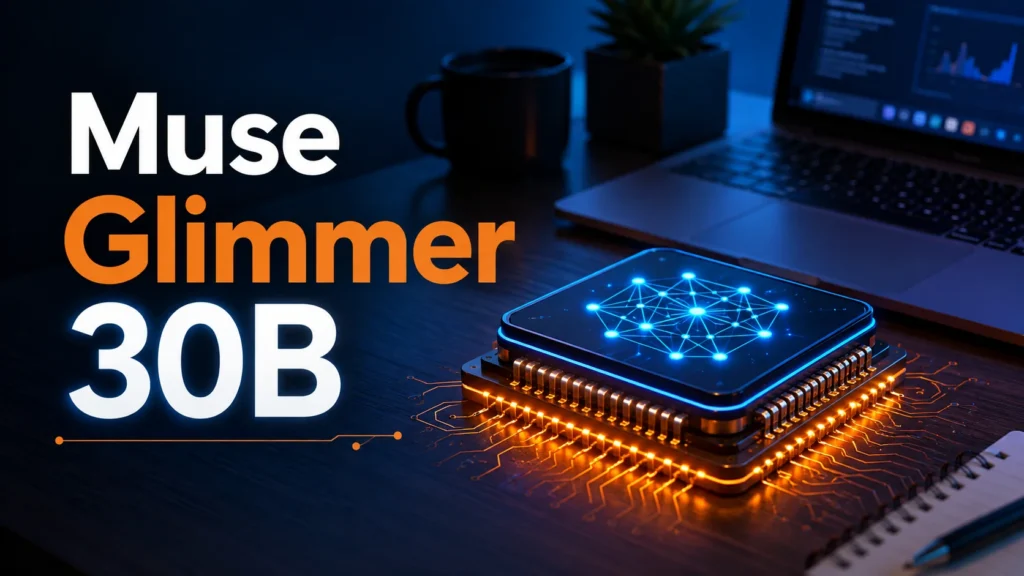
Meta just shipped Muse Glimmer 30B, and it’s not trying to be another chatbot you argue with about capital cities. It’s a 30-billion-parameter open-weight model built to run on your own GPU and actually finish multi-step tasks without falling apart halfway through. It’s the first release from Meta Superintelligence Labs, and it’s licensed under Apache 2.0, so you can download it, fine-tune it, and use it commercially without asking permission.
I’ve spent the last few days pulling apart the model card, the benchmark tables, and the early hands-on reports from AMD, NVIDIA, and Unsloth to figure out what this thing is actually for. Short version: it’s a genuinely strong pick if you want agent-style workflows running locally on a single consumer GPU. It’s not the best coder on the market, and it’s not going to replace a frontier cloud model for tasks that need broad computer-use skill.
What Is Meta Muse Glimmer 30B?
Muse Glimmer 30B is a dense, multimodal, 30-billion-parameter model built for local agentic work — think tool calling, long tasks that span multiple sessions, and recovering gracefully when something breaks mid-task. Unlike a mixture-of-experts model, it’s dense, meaning every parameter activates for every token. That trades some raw efficiency for more predictable latency and stronger long-context coherence, which matters a lot when an agent is holding a 100,000-token conversation open for an hour.
It was distilled from Meta’s larger Muse Spark model using a three-phase recipe: logit distillation during pre-training, agent-heavy long-context data during mid-training, and reinforcement learning plus on-policy distillation during post-training. In plain English, Glimmer learned by copying the reasoning patterns of a bigger, smarter model instead of just chewing through raw text.
Key specs, pulled straight from the model card and vLLM recipe page:
- Parameters: 30B dense, with a ~1.8B ViT-G/14 vision encoder bolted on for image understanding
- Context window: 120K+ tokens (128K trained)
- License: Apache 2.0, fully open weights
- Knowledge cutoff: January 4, 2026
- Languages: Trained on 100+ languages
- Formats available: BF16, GGUF k-quants, ExecuTorch builds, plus a DFlash speculative decoding drafter
How Does It Compare to Gemma4-31B and Qwen3.6-27B?
This is the part most people actually care about, so let’s skip the fluff. Meta’s own benchmark numbers put Glimmer ahead of Gemma4-31B and Qwen3.6-27B on agentic orchestration and reasoning, but behind Qwen on computer-use and terminal tasks.
| Benchmark | Muse Glimmer 30B | Qwen3.6-27B | Gemma4-31B |
|---|---|---|---|
| MCP Atlas | 75.5 | 62.5 | 54.2 |
| DeepSearch QA | 74.6 | — | — |
| AIME 2026 | 94.7 | — | — |
| SWE-Bench Pro | 51.2 | — | — |
| SWE-Bench Verified | — (trails) | 77.2 | — |
| OSWorld-Verified | — (trails) | 75.6 vs 65.9 | — |
| TerminalBench 2.1 | — (trails) | 60.7 | — |
The pattern holds pretty consistently: Glimmer wins when the task is about planning, tool orchestration, and reasoning through a chain of steps. Qwen3.6-27B pulls ahead when the task is about clicking around a desktop or working a terminal session. If your use case is “build me an agent that researches something and calls five APIs,” Glimmer is the stronger bet. If it’s “control my computer like a person would,” Qwen still has the edge.
Hardware: What You Actually Need to Run It
A 30B model at full precision normally eats over 55GB of memory, which rules out most home setups. Meta got around that with 4-bit quantization, bringing the footprint under 20GB, and added DFlash speculative decoding to keep generation fast even on modest hardware.
Real-world numbers so far:
- AMD Ryzen AI Max+ 395: up to 24 tokens/second
- AMD Radeon AI PRO R9700 (single GPU): up to 53 tokens/second with dFlash on
- Nvidia RTX 5090: 3.1x speedup from DFlash
- Apple M5 Max: 1.8x speedup
- Apple M4 Max: 1.5x speedup
Unsloth’s guidance is that it runs on 18GB of combined RAM/VRAM using their dynamic quants, and MarkTechPost’s write-up confirms the whole setup fits inside 24GB or 32GB of memory once quantized. That’s a Mac with 32GB unified memory or a single RTX 4090-class card, not a server rack. Deployment support already covers Ollama, LM Studio, llama.cpp, MLX, ExecuTorch, vLLM, and SGLang, so you’re not locked into one toolchain.
Where Glimmer Actually Shines
The agentic-first design isn’t just marketing language. Glimmer natively handles things that usually need a pile of scaffolding bolted onto a general chatbot:
- Persistent memory across restarts. If the process crashes or you close your laptop, the agent can pick back up instead of starting from zero.
- Multi-step task ownership. It’s built to keep context and adapt across a long arc of decisions, not just answer one prompt and stop.
- Native tool calling without heavy prompt engineering. No wrestling the model into emitting usable JSON — though note it uses its own custom parser format (
muse_glimmer), not the generic tool-call schema, so double check your framework supports it before you build around it. - Built-in prompt injection resistance. Since agents touch files, messages, and outside content, Meta trained it to resist getting hijacked by instructions buried in that content. Independent Siren AgentDojo testing put its attack success rate at 28.4% with a 94.2 utility score — not perfect, but a real signal they tested for it rather than bolting on a disclaimer afterward.
Where It Falls Short
Honest downside first: computer-use and terminal work are not its strong suit. Qwen3.6-27B beats it clearly on OSWorld-Verified, TerminalBench 2.1, and SWE-Bench Verified. If your agent’s main job is navigating a live desktop or running shell commands unsupervised, don’t assume Glimmer is automatically the better choice just because it wins on paper elsewhere.
Second, it’s a dense model, not MoE, so it’s less compute-efficient per active parameter than some competitors — you’re paying the full 30B cost on every token, no routing shortcuts. That’s a fair trade for the latency predictability it buys you, but it’s worth knowing going in.
Third, Meta explicitly states Glimmer doesn’t meet the “Frontier AI” bar in its own Advanced AI Scaling Framework, since it’s less capable than the larger Muse Spark model it was distilled from. That’s expected for a 30B local model, but don’t expect frontier-level general knowledge or reasoning depth outside its agentic lane.
Is Muse Glimmer 30B Worth Running?
If you’re building or running local agents and want to avoid API bills, token limits, and sending your data to a third-party server, yes — this is one of the strongest open options available right now for that specific job. The combination of Apache 2.0 licensing, a 120K+ context window, real quantized performance under 24GB, and genuine agentic training (not just tool-use bolted onto a chat model) makes it a legitimate pick for solo developers and small teams.
If what you actually need is a model that can drive a full desktop environment or handle terminal-heavy coding work unsupervised, look at Qwen3.6-27B first and treat Glimmer as the backup for the reasoning-heavy parts of the pipeline.
FAQ SECTION:
Q1: What is Meta Muse Glimmer 30B? A1: Muse Glimmer 30B is a 30-billion-parameter open-weight AI model from Meta Superintelligence Labs, released under Apache 2.0. It’s built for local agentic work — multi-step tasks, tool calling, and long-running sessions — rather than general chatbot use, and it runs on a single consumer GPU or Mac.
Q2: Is Muse Glimmer 30B free to use? A2: Yes. It’s released under the Apache 2.0 license with fully open weights on Hugging Face, so it’s free to download, fine-tune, and use commercially without paying for API access.
Q3: How much RAM or VRAM do I need to run Muse Glimmer 30B? A3: The 4-bit quantized version needs roughly 18-24GB of combined RAM/VRAM, which fits a single 24GB consumer GPU or a Mac with 32GB unified memory. Full BF16 precision would need over 55GB, so most people should stick with a quantized build.
Q4: Is Muse Glimmer 30B better than Qwen3.6-27B? A4: It depends on the task. Glimmer beats Qwen3.6-27B on agentic orchestration and reasoning benchmarks like MCP Atlas and AIME 2026. Qwen3.6-27B pulls ahead on computer-use and terminal tasks like OSWorld-Verified and TerminalBench 2.1.
Q5: What tools can I use to run Muse Glimmer 30B locally? A5: It has day-one support for Ollama, LM Studio, llama.cpp, MLX, ExecuTorch, vLLM, and SGLang. Unsloth also provides dynamic quants specifically tuned to run it on 18GB setups.
Q6: Does Muse Glimmer 30B support tool calling and long context? A6: Yes. It has a trained context window of 128K tokens and native tool-calling support, though it uses a custom output format rather than the generic JSON tool-call schema, so check that your framework has a matching parser before deploying it.