If you’ve spent any time in developer spaces lately, you’ve probably heard the term vibe coding. It started showing up on Twitter and Reddit a few months ago. Then it spread. Now it’s a real debate.
So what is it? Basically, vibe coding is when you describe what you want to build in plain English, let an AI tool generate the code, and keep going from there without deeply reading every line it writes. You’re going by feel. By vibe.
Some people think this is the future of building software. Others think it’s a recipe for shipping broken things fast. This article covers both sides, explains how it works in practice, and helps you decide if it belongs in your workflow.
What Does Vibe Coding Actually Mean?
The term was first used seriously by Andrej Karpathy in early 2025. He described a new kind of coding where the developer mostly writes prompts and accepts AI suggestions. You’re not writing code line by line. You’re describing intent and letting tools like Claude, GPT-4, or Cursor fill in the blanks.
You say something like: “Build a login screen with email and Google sign-in.” The AI writes it. You run it, see what happens, describe what’s wrong, and tell the AI to fix it.
That’s vibe coding. You’re in a conversation with the machine instead of directly authoring every line.
This is different from just using GitHub Copilot for autocomplete. With Copilot, you’re still writing most of the code yourself. With vibe coding, you’re more like a product manager directing a very fast developer who never sleeps.
Why People Are Actually Doing This
It sounds lazy on the surface. But there are real reasons developers are trying it.
Speed on familiar territory. For CRUD apps, landing pages, basic dashboards, forms, or anything with a predictable shape, AI tools are fast. You can rough out a working prototype in an hour that would’ve taken a full day to write by hand.
Lower barrier for non-developers. People who understand what they want but not how to code can now build things. A product manager can spin up a working mockup. A solo founder can test an idea before hiring an engineer.
Less friction on boring parts. Config files, boilerplate setup, repetitive API calls. These are not the parts of coding that require creativity. If an AI writes them, you spend your brain on the interesting stuff.
A developer named Marcus shared on a popular forum that he built his entire MVP backend using vibe coding in two weekends. “I knew what I wanted. I just wasn’t fluent in the right framework. The AI spoke the language better than me.”
That’s a real use case. Not everyone wants to learn every framework to test an idea.
How Vibe Coding Works in Practice
Here’s what a typical vibe coding session looks like.
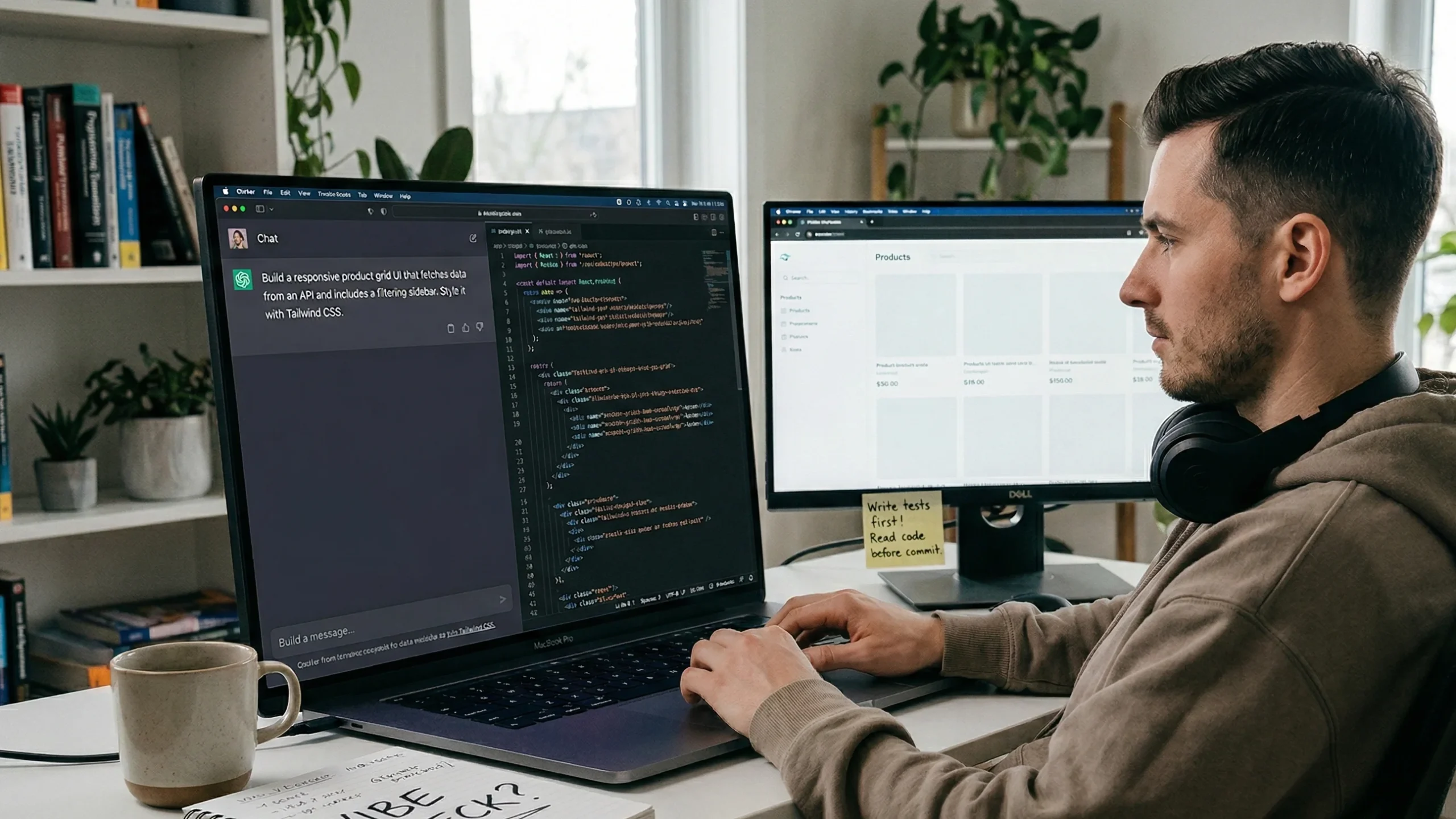
You open a tool like Cursor, Claude, or ChatGPT with code mode. You describe the feature you want. The AI returns code. You paste it or let the tool inject it. You run it.
If it breaks, you paste the error back in and ask it to fix it. If it works but not quite right, you describe the difference. You iterate.
The key habit is staying in natural language as much as possible. Instead of searching Stack Overflow and writing the solution yourself, you describe the problem and let the AI search its training on your behalf.
Some developers keep a running “prompt log” next to their actual codebase. Every major change has a corresponding prompt. That way, when something breaks weeks later, they can trace what instructions led to what code.
Where Vibe Coding Gets You Into Trouble
This is where it gets honest.
You can accumulate hidden problems. If you never read the code, you might not notice when the AI made a choice that technically works but creates a security issue or a scaling problem. The code runs today. It breaks in three months when something changes.
AI tools make stuff up confidently. They suggest deprecated APIs. They reference packages that don’t exist. They write code that compiles and passes basic tests but does the wrong thing. If you’re not reading it, you catch this too late.
Context drift. In a long session, the AI loses track of decisions you made earlier. It starts contradicting itself. The codebase gets inconsistent. Then refactoring becomes painful because you don’t fully understand what’s there.
One engineer described it bluntly: “I shipped a feature with a rate-limiting bug because the AI wrote plausible-looking code and I trusted it. Never again without tests.”
That’s the core risk. Speed without understanding creates technical debt you don’t even know exists.
Vibe Coding vs Traditional Coding: What’s the Real Difference?
Let’s be clear about what changes and what doesn’t.
What changes: The authoring layer. You’re not typing every line. You’re directing the AI. This saves time on implementation but shifts where your attention goes.
What doesn’t change: The need to understand what you’re building. You still need to know what a database index is, why authentication matters, and why you shouldn’t store passwords in plain text. The AI won’t warn you about things it doesn’t know you don’t know.
The skill set shifts. Writing good prompts becomes important. Knowing enough to verify output becomes essential. Being able to test what you ship matters more, not less.
Traditional coding is slower but keeps you in full control of every decision. Vibe coding is faster on the generation side but requires sharper attention on the review side.
Neither is better in all situations. Both have real places in a developer’s toolkit.
Tools That Work Well for Vibe Coding
A few tools are built around this kind of workflow.
Cursor is probably the most popular right now. It’s a full code editor with Claude and GPT built in. You can highlight code, describe what you want changed, and it rewrites inline. Most developers who are deep into vibe coding use this.
Claude by Anthropic is strong at longer context. If your codebase is large, Claude tends to hold the context better than some other tools. You can paste whole files and ask it to reason across them.
GitHub Copilot is more autocomplete than true vibe coding, but with the newer chat features it moves in that direction.
v0 by Vercel is specifically designed for generating frontend UI. You describe a component, it returns React code. Very fast for design work.
None of these tools are magic. They all produce bugs. The ones who get good results tend to be the ones who already understand what they’re asking for.
Is Vibe Coding Good for Beginners?
This one is contested.
Some people argue it’s a great way for beginners to learn. You see working code, you can ask it to explain each part, and you learn by example faster than from a textbook.
Others think it’s dangerous for beginners. If you can’t evaluate whether the output is correct or safe, you can’t catch the mistakes. A beginner who vibe codes their way through a project might end up with something that works locally and fails in production in embarrassing ways.
The honest middle ground: vibe coding helps beginners build things faster, but it doesn’t replace actually learning programming. If you want to build a career in development, you still need to understand what the code does. Use it to go faster. Don’t use it to skip understanding.
How to Do Vibe Coding Without Making a Mess
If you’re going to try it, these habits will save you from most of the common problems.
Write tests first. Before you ask the AI to write anything, describe what the correct behavior looks like in a test. That way, when the AI’s output doesn’t match, you know immediately.
Read every function before you commit. You don’t have to understand every line of CSS. But understand what each function does and why.
Keep sessions short. Long AI sessions drift. Start a new conversation when you shift to a new feature area. It costs you a bit of setup time but the output is more reliable.
Describe intent, not just action. “Build a login form” is okay. “Build a login form that validates email format client-side, doesn’t submit on empty fields, and shows an inline error message” is much better. The more specific you are, the less guessing the AI does.
Keep a personal rule about security. Any auth code, payment integration, or data handling goes through your brain, not just the AI’s. No exceptions.
What Experienced Developers Actually Think
The reactions in the developer community are pretty mixed.
Some senior engineers refuse to touch it. They’ve seen too many situations where AI-generated code passed review and caused production incidents. For teams with strict reliability requirements, the review burden makes it not worth it.
Others use it constantly for prototyping and low-stakes features, then manually write the critical paths. This hybrid approach seems to be the most common among experienced developers.
There’s also a growing group who argue that vibe coding will change what it means to be a senior developer. The value won’t be typing fast. It’ll be knowing what to ask for, knowing what to reject, and knowing how to put pieces together into something that scales.
That last part probably has real truth to it. The way developers add value is already shifting.
The Bigger Picture: Where This Is Headed
Vibe coding is not a fad. AI-assisted development is going to keep getting better. The tools will produce fewer errors. The context windows will grow. More bugs will get caught automatically.
But software still needs to do something real. It still needs to be secure and maintainable. The developer who understands what they’re building will always produce better results than one who doesn’t. The tools change. That part doesn’t.
The developers who will do well in the next few years are probably the ones who learn to use these tools without becoming dependent on them. Knowing when to vibe and when to slow down is a skill in itself.
Frequently Asked Questions
What is vibe coding in simple terms? Vibe coding is a style of programming where you describe what you want in plain English and let an AI write the code for you. You review, test, and guide it rather than typing every line yourself.
Is vibe coding bad practice? Not inherently. It creates real risks if you don’t review or test the output. Used carefully with proper testing habits, it’s a legitimate productivity approach. Used carelessly, it produces unreliable software.
Can non-programmers do vibe coding? Yes, to a point. Non-programmers can build simple things. For anything complex or production-ready, some programming knowledge helps you catch AI mistakes before they matter.
What tools are used for vibe coding? Cursor, Claude, ChatGPT, GitHub Copilot, and v0 by Vercel are the most commonly used. Cursor is the most popular among developers who do this regularly.
Will vibe coding replace software engineers? Probably not. The role is shifting toward design, review, testing, and system thinking. The tools make some parts faster. They don’t replace judgment about what to build or how to build it safely.
How do I get started with vibe coding? Start with a small personal project. Use a tool like Cursor or Claude. Describe what you want in detail. Test everything it produces. Read the code even when it works. Build the habit of verification before scaling up to bigger projects.
Conclusion
Vibe coding is real, it’s useful, and it’s growing. The developers who understand it honestly have a real advantage. They move faster on the right tasks and stay careful on the ones that matter.
The thing to remember is that the AI is a tool. A fast one. A sometimes-wrong one. Your job is still to know what you’re building and why. That part hasn’t changed.
If you want to try it, start small. Keep your tests. Read what gets generated. And whenever something touches user data, security, or money, slow down and read every line.
That’s not anti-vibe. That’s just good judgment.
Next step: Pick one small feature in a project you’re working on. Try describing it to Claude or Cursor in detail. See what comes back. That first experiment will teach you more than reading ten articles about it.